

Please note: Deleting the app will not cancel your subscription.
Deleting the WalkFit app from your phone does not cancel your subscription. Removing the app only deletes it from your device, but your subscription remains active and will continue to renew automatically according to your selected billing plan. As a result, you may continue to see recurring charges even though the app is no longer installed.
To stop future payments and prevent additional renewals, you must cancel your subscription through the platform where you originally purchased it (such as the Apple App Store, Google Play Store, or the WalkFit website). Follow the instructions below to successfully cancel your subscription and avoid further charges.


Choose How You Signed Up
The cancellation steps depend on where you originally purchased your WalkFit subscription, so the first step is to identify how you signed up.
Whether you signed up directly on the WalkFit website after clicking an advertisement on social media platforms such as Facebook, Instagram, TikTok, or other online promo, on Apple App Store on iPhone, or the Google Play Store on Android, select the option below to continue with the correct cancellation instructions.
Web subscription (if you bought the app after clicking an advertisement on social media platforms such as Facebook, Instagram, TikTok)
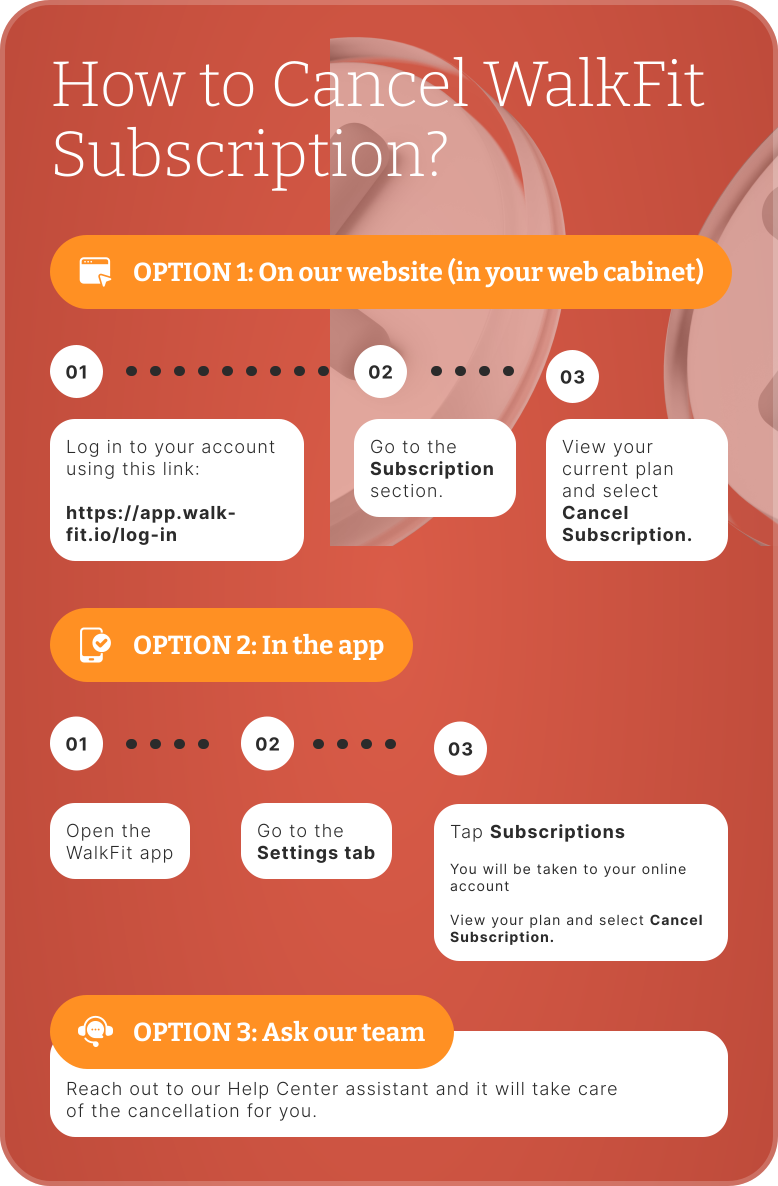
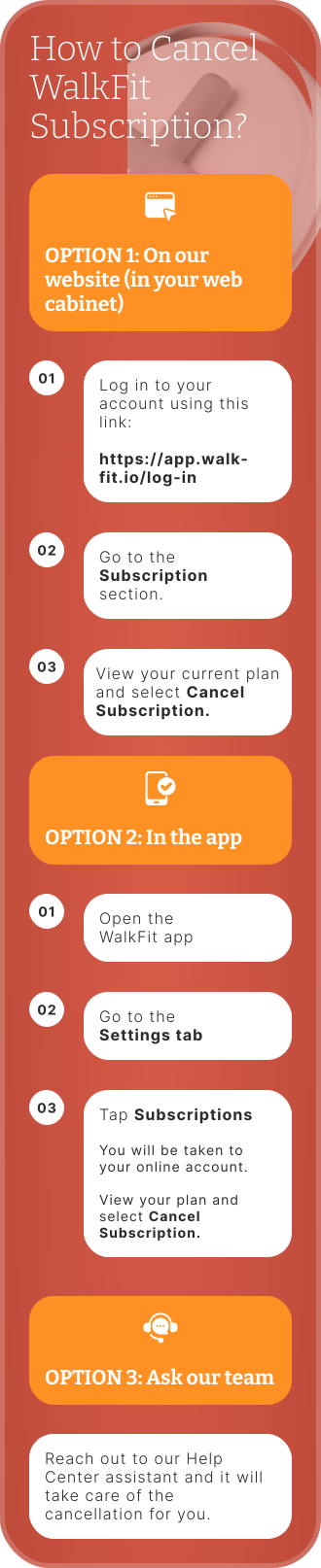
Option 1: On our website (in your web cabinet)
1. Open this link
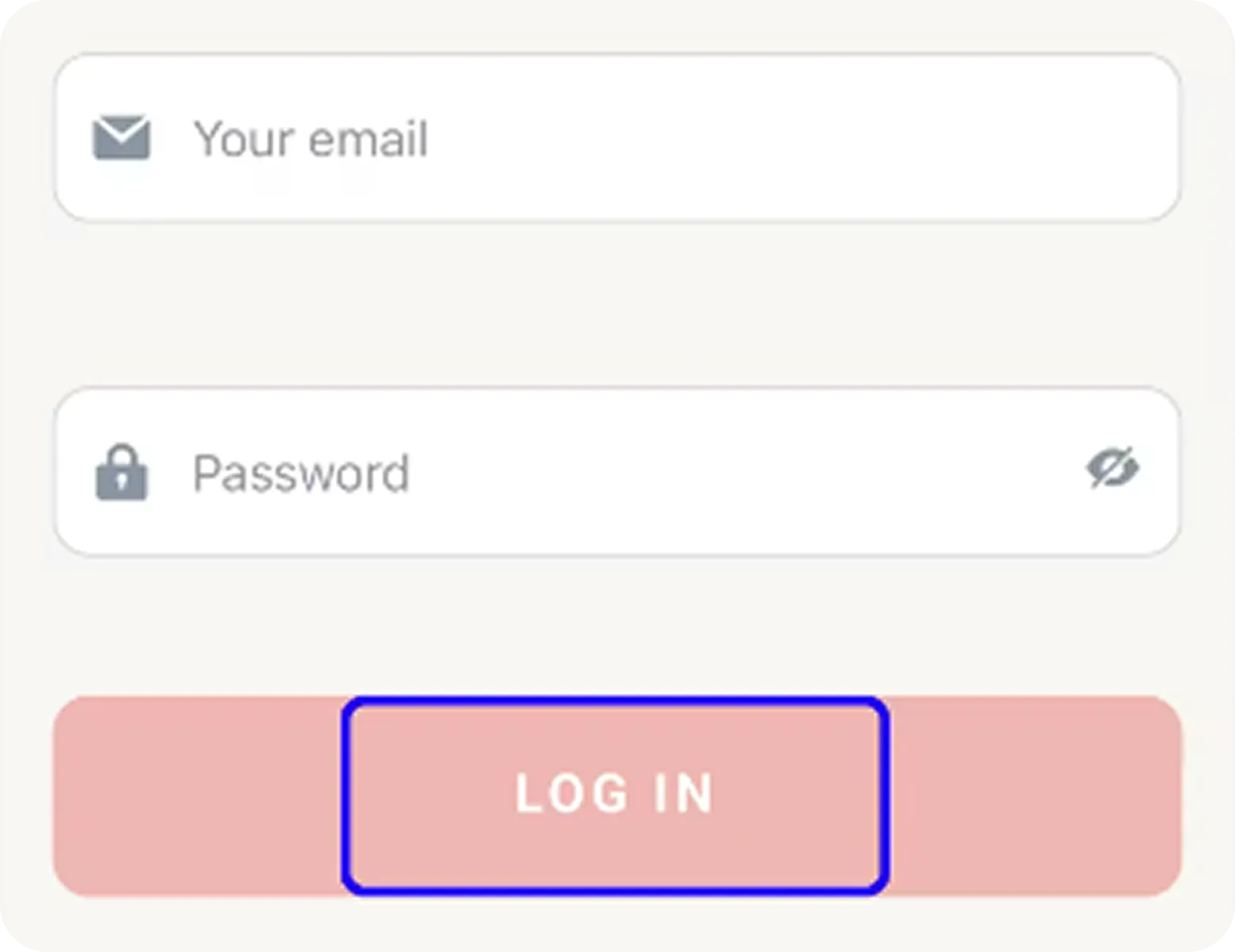
2. Enter the email address and password associated with your WalkFit account.
3. Choose the Log in option, as shown below:
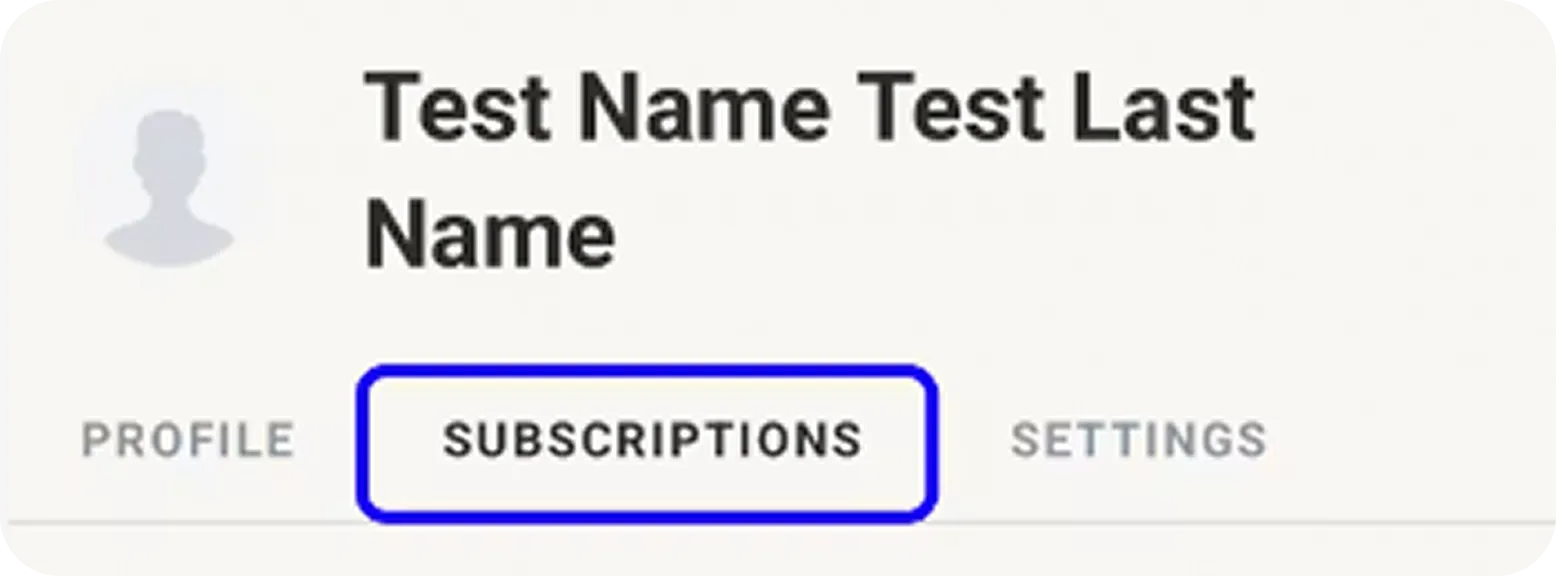
4. Then open the Account Settings tab and tap on the Subscription section.
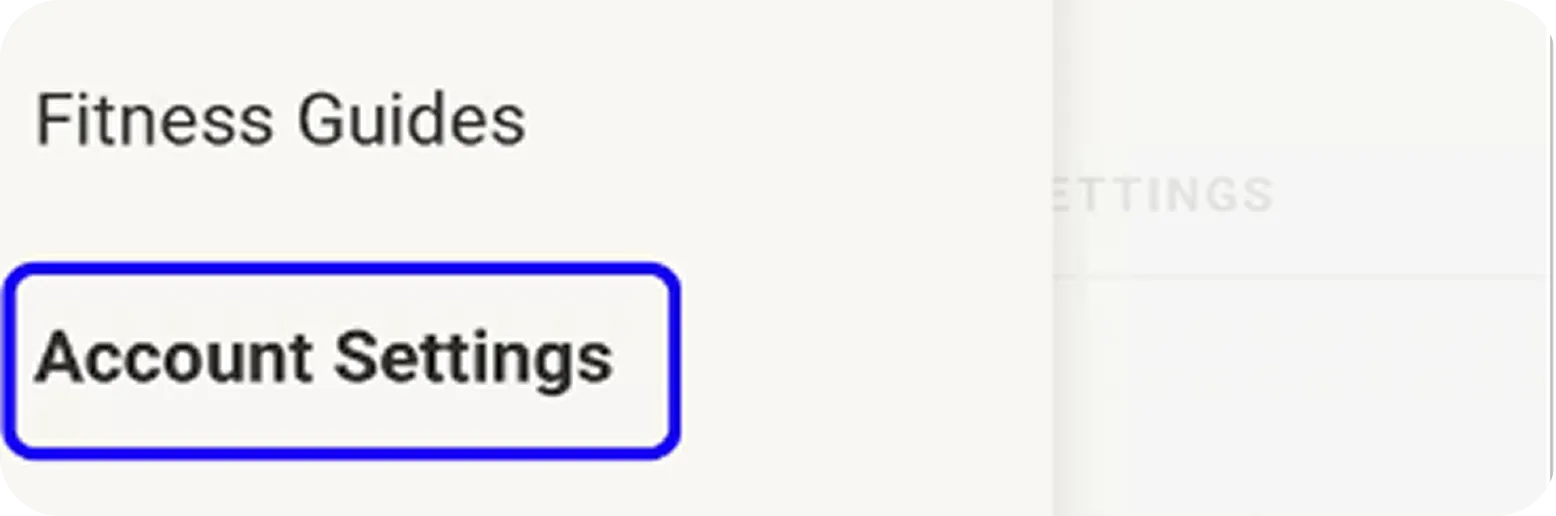
5. In the Subscription section, you'll find a full list of your subscriptions and will be able to cancel them as you see fit.
Option 2: Ask our team
Reach out to our Help Center assistant and it will take care of the cancellation for you.
iOS subscription (you subscribed through the App Store)
- Open the Settings app on your device.
- Tap your name at the very top of the screen.
- Tap Subscriptions.
- Find WalkFit in the list.
- Tap Cancel Subscription and confirm.
You can also navigate to Settings → Subscriptions within the WalkFit app, and you'll be redirected to the App Store page.
Do not see WalkFit in the list? Then you did not subscribe through Apple. Go back and use the "Web subscription" steps instead.
One quick tip: cancel at least 24 hours before your next billing date so you are not charged for the new period.
Android subscription (you subscribed through Google Play)
- Open the Google Play Store
- Tap your profile icon in the top right corner
- Tap Payments & subscriptions, then Subscriptions
- Find WalkFit in the list
- Tap Cancel subscription
You can also navigate to Settings → Subscriptions within the WalkFit app, and you'll be redirected to the Google Play Store.
Do not see WalkFit in the list? Then you did not subscribe through Google Play. Go back and use the "Web subscription" steps instead.
One quick tip: cancel at least 24 hours before your next billing date so you are not charged for the new period.
Why isn't my subscription in the App Store or Google Play?
Many people look for their WalkFit subscription in their Apple App Store or Google Play settings and can't find it. If that's happening to you, don't worry.
If you signed up through a Facebook or Instagram ad, or directly on the WalkFit website, your subscription was purchased through WalkFit's website, not through Apple or Google.
Because of that, the subscription will not appear in your App Store or Google Play subscriptions, and you won't be able to cancel it there.
Instead, you can manage and cancel it through your WalkFit account. Follow the "Web Subscription" instructions above to find your subscription and turn off automatic renewal.
A few things worth knowing:
How the subscription works
WalkFit's app subscription is only offered as an auto-renewing plan, meaning it automatically renews at the end of each billing cycle. Auto-renewable subscriptions are designed to ensure you maintain uninterrupted access to the app without the need to renew manually.
Keep an eye on your renewal date, that way there are no surprise charges for a period you would not have used.
Billing starts at purchase
Your subscription begins the moment you buy it, not when you first open or start using the app. Cancel at least 24 hours before your next billing date so you are not charged for the new period.
Cancel in advance
To avoid the next charge, cancel at least 24 hours before your renewal date.
Rediscover WalkFit
Before you go, take another look at what is already waiting for you in the app. When days get busy, the best bits are easy to lose sight of.
A plan made just for you
Your walking plan is built around your age, fitness level, lifestyle, and goals, whether that is losing weight, feeling healthier, or finally making walking a habit that sticks. Each week adjusts as you go, so you are always doing the right amount.
A walk for every kind of day
Sunny morning or pouring rain, there is always a session ready. Head outside for an outdoor walk, or stay in with indoor workouts when going out is not an option. Every session is audio-guided, so you just press play.
Fits into any day
A few spare minutes or a full hour, either works. Do a short reset between tasks or take your time with a longer session. All you need is a bit of space to move.
So much more than steps
There is real variety to keep things fresh. Try tai chi walking, chair walking, step aerobics, dance your steps, japanese walking, or an evening walk for better sleep, all designed by certified fitness professionals.
Free Walk
Sometimes you just want to walk and have it count. Hit Free Walk and the app maps your route and tracks your steps, distance, and calories, while the step counter keeps working quietly in the background against your daily and monthly goals.
Built to keep you going
Watch your progress add up, keep your streaks alive, earn awards, and take on challenges whenever you feel like doing more. Small wins, every day.
Whatever brought you here, you started something worth keeping, and every step you took still counts. Whenever you are ready, log back in with the same account and pick up right where you left off, with your plan and your progress intact. Take all the time you need. We will be right here, glad to walk this one with you.
FAQ:
How do I check if I still have an active subscription?
In the app: open the Settings tab, then Manage Subscriptions. You'll be redirected to your web account, where you can view all your subscriptions.
On our website: log in at app.walk-fit.io. Enter your account information. Open the Account Settings, then Manage Subscription section. There you'll see the information about your current subscription plan.
In your store settings: if you subscribed on an iPhone or Android, check your subscriptions in your App Store or Google Play settings.
I was charged after I canceled, or charged twice. What should I do?
Reach out to our Help Center assistant, share your account details, and we will look into the charge for you and sort it out.
I deleted the app but I am still being charged. Why?
Removing the app from your phone does not cancel your subscription. Your subscription keeps running until you actually cancel it using the steps above. Deleting the app and canceling the subscription are two different things.
How do I know my cancellation worked?
You will receive a confirmation by email once your subscription is cancelled. If you do not see it within a little while, contact support so we can double-check for you.
Can I come back later?
Of course. You are always welcome back. Just log in again and choose a plan that suits you.
Still have questions?
Still have questions? Follow this link to our Help Center assistant, and we will be happy to help you, step by step.